

How to improve FPS in Monster Hunter Wilds (PC)
Monster Hunter Wilds had a troubled launch in February 2025: brutal stuttering in towns and drastic drops during sandstorms. After patches 1.1 and 1.2 (May 2025) performance improved significantly, but it remains a demanding game. This guide covers the settings that give the best FPS/visual quality ratio with real benchmark data from post-patch results.
This is what you'd gain with a NVIDIA RTX 4060 Ti
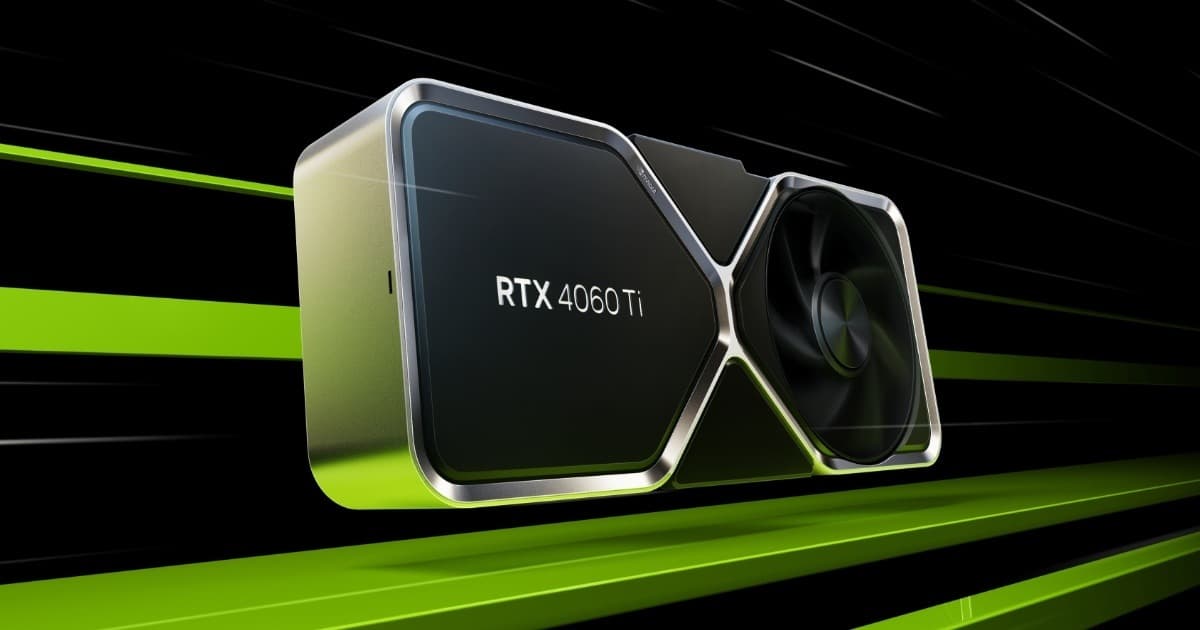
Want the RTX 4060 Ti at the best price?
Check the current price on Amazon.
Calculations based on our FPS model combined with the % gain of each setting (measured in public benchmarks).
1. Quick wins (no visual loss)
Start here. Each one adds a little, but together they give +8% free FPS.
Motion Blur
Aggressive motion blur that many players prefer disabled. Small FPS bonus.
Depth of Field
Subtle DoF in MH Wilds. Off eliminates it without real loss and saves GPU.
Lens Flare
Annoying lens flares when aiming toward the sun. Off improves visibility on top of FPS.
Film Grain
Purely aesthetic. Off cleans up the image.
2. Medium impact settings
Here's where most of the FPS is. Minor visual impact, major performance impact.
Volumetric Effects
The most impactful change during sandstorms. High volumetrics kills FPS during storms. Medium maintains the atmosphere with playable FPS.
Shadow Quality
Ultra shadows in MH Wilds are exaggerated. Medium-High maintains visual quality with notable savings.
Screen Space Reflections
SSR in MH Wilds applies mainly to water and polished armor. Medium is indistinguishable from High in combat.
Texture Quality (8 GB VRAM)
If you have 8 GB VRAM, Ultra textures exceed memory and cause severe stutter. Medium-High solves it.
Mesh Quality
Geometric detail of objects. Medium is indistinguishable in normal gameplay.
Foliage Sway
Vegetation movement. Off saves a few FPS without affecting combat.
3. Upscaling (DLSS / FSR / XeSS)
The biggest gain in the game. Compatible with almost any modern GPU.
DLSS Quality (NVIDIA RTX)
+28% FPSDLSS 3.7+ implemented in MH Wilds. Quality at 1080p practically no visual loss. At 1440p the effect grows to +35%.
DLSS Frame Generation (RTX 40-series)
+70% FPSAlmost mandatory for smooth 1440p Ultra. MH Wilds is one of the games that benefits most from Frame Gen — fights against large monsters go from 50 to 90 FPS.
FSR 3 Quality (older AMD and NVIDIA)
+22% FPSFSR 3 with Frame Generation included. Works on older GPUs — the best option if you don't have RTX 40.
FSR 3 Frame Generation
+60% FPSWorks on RX 6000+ and NVIDIA GTX 16+/RTX 20+. Brings the 'Frame Gen' experience to a wider range of hardware.
XeSS Quality (Intel Arc)
+20% FPSSupported on Arc A-series and B-series. Quality close to DLSS. Make sure you have recent Arc drivers (31.0.101.5xxx+).
4. Tips by GPU
NVIDIA
- •Frame Generation is almost mandatory for a smooth 1440p Ultra experience. If you have RTX 40, enable it.
- •Enable Resizable BAR (ReBAR). MH Wilds benefits quite a bit.
- •DLSS Quality is the sweet spot — Performance only if you need more FPS and don't mind visual noise.
AMD
- •FSR 3 with Frame Generation works excellent in MH Wilds — enable it even on RX 6000.
- •Enable Smart Access Memory (SAM) in BIOS — clear benefit in this game.
- •On RX 6000 with 8 GB, don't use Texture Quality Ultra: causes stutter from VRAM exhaustion.
Intel
- •Make sure you have Arc drivers 31.0.101.5xxx or higher — significant improvements for MH Wilds.
- •XeSS Quality works well on Arc A770 and B580.
- •Enable ReBAR in BIOS (usually default on Arc-compatible boards).
5. Known game issues
CPU bottleneck in Plaza
The central hub has a very heavy NPC simulation that saturates any CPU. Drops to 30-40 FPS are normal. Not a bug — it's the current design. Reducing 'Crowd Density' (if available in future patches) or closing overlays helps.
Stuttering during sandstorms
Sand storms saturate the GPU due to the volume of volumetric particles. Lowering 'Volumetric Effects' to Medium is the fix.
Estado: Improved in patch 1.2 (May 2025)
VRAM exhaustion at 8 GB
Texture Quality Ultra exceeds VRAM on 8 GB cards (RTX 4060, RX 7600, etc.) causing severe stutter. Lowering to Medium-High fixes it.
Shader compilation at startup
The first time after a patch the game compiles shaders for 5-10 minutes. Wait at the main menu before playing.
Estado: Improved in patch 1.1
6. Frequently asked questions
Can my RTX 4060 Ti run MH Wilds?▾
Why does it drop to 30 FPS in Plaza?▾
Is Frame Generation worth it?▾
How much VRAM do I need?▾
Want to know exactly how many FPS YOUR PC will get?
Enter your GPU and CPU in our calculator and measure the real impact of each setting.
Calculate FPS for Monster Hunter Wilds →Calculations based on consensus of technical sources and our own FPS model. More about our methodology →