

How to improve FPS in Crimson Desert (PC)
Crimson Desert is Pearl Abyss's (creators of Black Desert) open-world action RPG, and it demands a lot from the GPU: ray-traced lighting enabled by default, dense vegetation in every region, and cities with dozens of simultaneous NPCs during mass combat scenes. The studio's proprietary engine prioritizes melee combat smoothness above all else, so the key to good performance isn't drastically lowering graphics quality — it's touching the right settings: NPC density, lighting, and the right upscaler.
This is what you'd gain with a NVIDIA RTX 4070
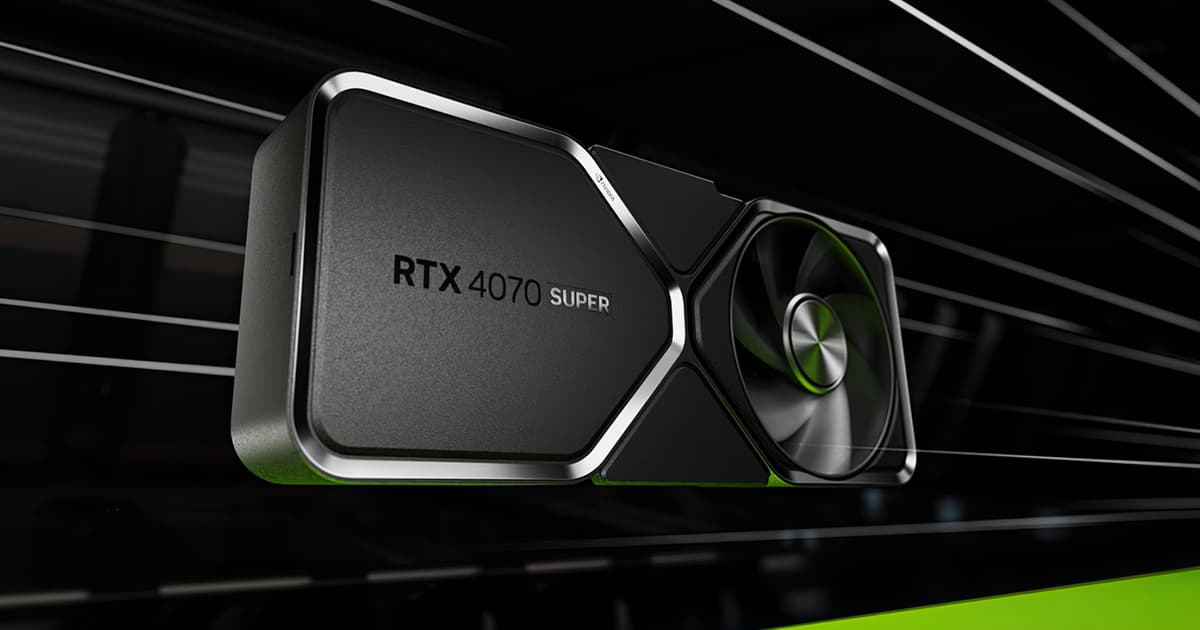
Want the RTX 4070 at the best price?
Check the current price on Amazon.
Calculations based on our FPS model combined with the % gain of each setting (measured in public benchmarks).
1. Quick wins (no visual loss)
Start here. Each one adds a little, but together they give +69% free FPS.
NPC Density / Population
Controls how many NPCs render simultaneously in cities and camps. On Extreme, the engine becomes CPU-bound and generates constant stutter in populated areas, with barely any extra visual payoff over Medium/High.
Ray Reconstruction
An AI-based denoising feature for reflections and ray-traced lighting. Its cost is disproportionate to the visual improvement it adds, especially above 1080p.
Shadow Quality
Resolution and draw distance of dynamic shadows on characters and vegetation. Cinematic adds very subtle contact shadows at the cost of a notable GPU load.
Model Quality
Polygon detail level for characters and scenery objects. Its visual impact is minimal compared to other settings, so raising it delivers almost nothing perceptible.
Display Mode
Exclusive fullscreen mode gives direct GPU access and reduces input latency, versus borderless mode which adds an OS compositing layer.
2. Medium impact settings
Here's where most of the FPS is. Minor visual impact, major performance impact.
Global Illumination
Ray-traced lighting is baked into the engine and can't be fully disabled; the level controls the resolution of indirect light bounces. Cinematic or Ultra offer the best noise/quality ratio; the Maximum level paradoxically introduces more noise indoors.
Vegetation Quality
Density and draw distance of vegetation across open regions. It's one of the game's biggest performance consumers due to the amount of individually simulated grass and foliage.
View Distance
Controls how far objects and terrain detail load in the open world. Lowering it too much causes visible pop-in in a game with very open horizons.
Water Quality
The engine's water system is very well optimized and its real performance cost is low despite its advanced look (reflections, refraction, dynamic foam).
Anti-Aliasing (TAA)
Temporal-sampling edge smoothing. Essential in this game to avoid aliasing on fine vegetation and animal fur.
3. Upscaling (DLSS / FSR / XeSS)
The biggest gain in the game. Compatible with almost any modern GPU.
DLSS 4.5 (Quality)
+35% FPSOn NVIDIA RTX GPUs, this is the recommended option at Quality for a notable FPS jump without noticeable sharpness loss. Some users report occasional flickering on fine vegetation, a known issue Pearl Abyss has largely fixed via patches.
DLSS 4.5 (Performance)
+55% FPSOn high-end rigs this allows consistently reaching 90+ FPS. Sharpness loss is more visible in dark interiors than in exteriors.
FSR 4 (Quality)
+32% FPSIn recent comparisons, FSR 4 delivers sharper images in motion and less ghosting than DLSS in this specific game. Warning: with active rain it can cause raindrops to disappear or screen distortion; if this happens, temporarily switch to Native Resolution + TAA.
XeSS (Quality)
+28% FPSAvailable for Intel Arc GPUs and as a cross-platform alternative. Important note: at the time of this guide, Intel Arc GPUs have a known issue that prevents the game from launching; until a fixed driver arrives, it's not a viable option on that hardware.
4. Tips by GPU
NVIDIA
- •Install Crimson Desert's launch-specific Game Ready driver before playing; NVIDIA published optimizations the same day as launch.
- •Enable Reflex from the graphics menu to reduce input latency, especially noticeable in melee combat.
- •If you experience flickering with DLSS 4.5 on vegetation, try forcing DLSS 4 (the older version) via DLSS Override in the NVIDIA app as a temporary workaround.
AMD
- •Update to the Adrenalin drivers released on launch day; they include specific tweaks for the Crimson Desert engine.
- •FSR 4 is only available on RDNA 4 GPUs (RX 9000 series); on older cards the game automatically falls back to FSR 3.1.
- •If you notice distortion or vanishing rain with FSR 4 enabled, switch to Native Resolution + TAA until the next patch.
Sistema
- •Installing the game on an SSD is mandatory: texture and asset streaming in the open world isn't reliable on mechanical drives and causes severe pop-in.
- •Close third-party antivirus, VPNs, and recording/streaming software before playing: Pearl Abyss flags them as a common cause of stuttering and crashes.
- •Let the game finish compiling shaders on first launch (it can take several minutes); interrupting this process causes constant micro-stutter during the first few hours of play.
5. Known game issues
Severe stuttering with NPC Density on Extreme
In large cities, setting Population Density to Extreme saturates the CPU and causes sharp FPS drops even on very high-end systems. The community-recommended fix is to lower it to Medium or High.
Intel Arc GPUs won't launch the game
As of this guide, Intel Arc cards fail to start Crimson Desert. Pearl Abyss recommends waiting for a driver update or requesting a refund if the issue persists.
Estado: Fix pending
Stuttering after recent patches on NVIDIA GPUs
Some players have reported that certain updates introduced intermittent FPS drops (from a locked 117 down to 40-50) with no apparent cause, on systems where the game previously ran smoothly.
Estado: Under investigation by Pearl Abyss
6. Frequently asked questions
Is it worth enabling ray tracing in Crimson Desert?▾
Why does the game stutter in cities but run smoothly out in the countryside?▾
Which upscaler gives better results, DLSS or FSR 4?▾
Can I play Crimson Desert from a mechanical hard drive?▾
Want to know exactly how many FPS YOUR PC will get?
Enter your GPU and CPU in our calculator and measure the real impact of each setting.
Calculate FPS for Crimson Desert →Calculations based on consensus of technical sources and our own FPS model. More about our methodology →