CheckFPS
HomeFPS CalculatorGPUsCompare GPUsOptimize FPS
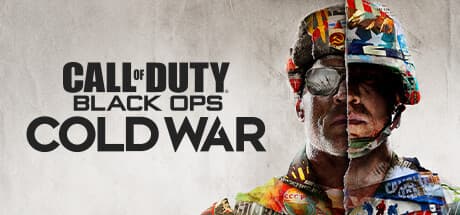
Call of Duty: Black Ops Cold War
Optimization guide · Updated on July 13, 2026

How to improve FPS in Call of Duty: Black Ops Cold War (PC)

Black Ops Cold War launched in 2020 on a variant of the IW Engine shared with Modern Warfare, and from day one the competitive community treated it as a tournament shooter rather than a graphical showcase. The absolute priority is a high, stable framerate, with no drops mid-firefight, and the lowest possible input lag thanks to Nvidia Reflex. Integration with Warzone adds background texture and asset streaming that can cause micro-stutters if storage speed and VRAM don't keep up.

⚠️ Known for: Being the Call of Duty where the competitive community sacrificed almost all visual fidelity in favor of the highest possible framerates, minimal input lag, and maximum enemy visibility.
Example with your hardware

This is what you'd gain with a NVIDIA RTX 3050

Without optimization (Ultra)
43 FPS
1080p · Ultra · no DLSS
With this guide applied
~62 FPS
1080p · Recommended settings
+ DLSS Quality
~79 FPS
1080p · Settings + DLSS
Logo nvidia
amazonAffiliate link

Want the RTX 3050 at the best price?

Check the current price on Amazon.

View on Amazon →

Calculations based on our FPS model combined with the % gain of each setting (measured in public benchmarks).

1. Quick wins (no visual loss)

Start here. Each one adds a little, but together they give +25% free FPS.

Shadow Map Resolution

Recommended: Low · Visual impact: Medium · Consensus: A standard setting in any competitive configuration, barely noticeable in actual gameplay.
+8% FPS

Cold War's dynamic shadows are among the most expensive GPU tasks on multiplayer maps with many light sources.

Particle Quality

Recommended: Low · Visual impact: Medium · Consensus: Highly recommended by streamers and ladder players for visibility reasons, not just FPS.
+7% FPS

Smoke grenades, explosions, and gunfire effects generate a huge amount of particles in 6v6 or Warzone engagements.

Bullet Impacts and Sprays

Recommended: Off · Visual impact: Low · Consensus: Disabled by practically the entire competitive scene.
+4% FPS

Bullet impact marks and decorative sprays on surfaces accumulate over a long match and add rendering overhead.

Ambient Occlusion

Recommended: Off · Visual impact: Low · Consensus: Almost always disabled in competitive guides.
+6% FPS

Ambient occlusion adds subtle shading to corners and object edges, but has a disproportionate GPU cost.

Nvidia Reflex Low Latency

Recommended: On + Boost · Visual impact: Imperceptible · Consensus: Universally enabled by the competitive community on Nvidia GPUs.
+0% FPS

Reflex doesn't boost FPS by itself, but it drastically reduces input lag by better synchronizing the CPU and GPU.

2. Medium impact settings

Here's where most of the FPS is. Minor visual impact, major performance impact.

Texture Resolution

Recommended: Medium · Visual impact: Medium · Consensus: Adjusted based on available VRAM; Medium is recommended on mid-range cards.
+5% FPS

Cold War allows high-resolution texture streaming, but requires plenty of available VRAM to avoid stuttering.

On-Demand Texture Streaming

Recommended: Off · Visual impact: Low · Consensus: Recommended to disable unless you have an NVMe SSD and a stable connection.
+3% FPS

This feature loads additional high-resolution textures on demand using network and disk bandwidth.

Anti-Aliasing

Recommended: Filmic SMAA T2x · Visual impact: Medium · Consensus: Preferred over TAA by the competitive community for delivering a sharper image.
+6% FPS

The default TAA smooths the image well but adds a slight motion blur that makes it harder to distinguish distant silhouettes.

Depth of Field

Recommended: Off · Visual impact: Low · Consensus: Almost always disabled.
+3% FPS

Depth of field in cinematic mode adds an unnecessary post-processing load for competitive multiplayer.

Volumetric Lighting

Recommended: Low · Visual impact: Medium · Consensus: Usually lowered to Low or Off in performance-oriented setups.
+5% FPS

Volumetric lighting generates light shafts and atmospheric fog on several outdoor maps, with a considerable GPU cost.

3. Upscaling (DLSS / FSR / XeSS)

The biggest gain in the game. Compatible with almost any modern GPU.

4. Tips by GPU

NVIDIA

  • •Enable Nvidia Reflex in Boost mode to minimize input lag in fast-reaction duels.
  • •Use the NVIDIA Control Panel to force Ultra Low Latency Mode if your GPU doesn't support Reflex.
  • •Keep Game Ready drivers updated; Cold War received several game-specific optimization patches.

AMD

  • •Enable Radeon Anti-Lag from Adrenalin to compensate for the lack of Nvidia Reflex on AMD GPUs.
  • •Check that the power mode is set to "Performance" in Adrenalin.
  • •Update to the latest drivers, especially after major game patches.

Sistema

  • •Install the game on an SSD, preferably NVMe, to reduce stutters from Warzone texture and asset streaming.
  • •Close background processes and overlays to free up CPU cores on maps with many players.
  • •Make sure you have at least 16GB of free RAM, since the engine reserves memory aggressively for asset streaming.

5. Known game issues

Stutters from Warzone texture streaming

Since it shares engine and assets with Warzone, Cold War can suffer micro-stutters when the system loads high-resolution textures on the fly.

Estado: 2021 season patches improved memory management, but the issue persists on hardware with limited VRAM.

Single-core CPU usage spikes

On systems with few cores or slower cores, Cold War can saturate a main thread during matches with lots of simultaneous activity.

Incompatibilities after seasonal updates

Seasonal content updates have occasionally introduced performance regressions or crashes on specific hardware combinations.

6. Frequently asked questions

Is it worth enabling Nvidia Reflex in Black Ops Cold War?▾
Yes, as long as you have an NVIDIA GPU. Reflex reduces the input lag between your mouse click and the on-screen response at no FPS cost.
Why do I get micro-stutters even though my GPU can handle the game easily?▾
The most likely cause is texture streaming shared with Warzone: if your drive is slow or you're short on free VRAM, the game has to load assets on the fly.
Which settings should I lower first if my PC can't hit a stable 144 FPS?▾
Start with Shadow Map Resolution, Particle Quality, and Ambient Occlusion set to Low or Off.
Is it worth lowering texture resolution if I have little VRAM?▾
Yes. Cold War demands a fair amount of VRAM for asset streaming integrated with Warzone, and falling short causes stuttering.

Want to know exactly how many FPS YOUR PC will get?

Enter your GPU and CPU in our calculator and measure the real impact of each setting.

Calculate FPS for Call of Duty: Black Ops Cold War →

Calculations based on consensus of technical sources and our own FPS model. More about our methodology →

EnebaGame keys on sale

Upcoming games, cheaper with an official key.

  • Assassin's Creed Black Flag Resynced

    Assassin's Creed Black Flag Resynced

    View on Eneba →

  • Halo: Campaign Evolved

    Halo: Campaign Evolved

    View on Eneba →

  • Beast of Reincarnation

    Beast of Reincarnation

    View on Eneba →

  • The Sinking City 2

    The Sinking City 2

    View on Eneba →

  • Resonance: A Plague Tale Legacy

    Resonance: A Plague Tale Legacy

    View on Eneba →

  • Star Wars Zero Company

    Star Wars Zero Company

    View on Eneba →

  • The Blood of Dawnwalker

    The Blood of Dawnwalker

    View on Eneba →

  • Halloween: The Game

    Halloween: The Game

    View on Eneba →

  • Warhammer 40,000: Dawn of War IV

    Warhammer 40,000: Dawn of War IV

    View on Eneba →

  • Silent Hill: Townfall

    Silent Hill: Townfall

    View on Eneba →

Affiliate link

FPS in the most searched games

  • Forza Horizon 6

    Forza Horizon 6 FPS

    Racing

  • Gothic 1 Remake

    Gothic 1 Remake FPS

    Action RPG

  • Subnautica 2

    Subnautica 2 FPS

    Survival

  • 007 First Light

    007 First Light FPS

    Action-Adventure

  • Pragmata

    Pragmata FPS

    Action-Adventure

  • EA Sports FC 26

    EA Sports FC 26 FPS

    Sports

  • ARK: Survival Ascended

    ARK: Survival Ascended FPS

    Survival

  • Final Fantasy VII Rebirth

    Final Fantasy VII Rebirth FPS

    RPG

  • Call of Duty: Warzone

    Call of Duty: Warzone FPS

    Battle Royale

  • Cyberpunk 2077

    Cyberpunk 2077 FPS

    RPG

Performance of the most searched GPUs

  • AMDRX 9070 XT88 FPS
  • NVIDIARTX 305035 FPS
  • NVIDIARTX 5060 Ti71 FPS
  • NVIDIARTX 3070 Ti65 FPS
  • NVIDIARTX 306048 FPS

CheckFPS

CheckFPS was created by Lluis Enric Mayans, a PC hardware and graphics performance specialist. 200+ games, 135 GPUs, and real benchmark data to help you make better decisions.

200+ games · 135+ GPUs · 141+ CPUs

Legal

  • Privacy Policy
  • Legal Notice
  • Cookie Policy

Useful Links

  • Contact
  • About Us

Data sources & methodology

  • How we calculate FPS
🇪🇸Español🇬🇧English🇧🇷Português🇩🇪Deutsch🇫🇷Français

As an Amazon Associate and Eneba affiliate, CheckFPS earns from qualifying purchases. This does not affect our recommendations or performance estimates.

© 2026 CheckFPS. All rights reserved.