How Many FPS Does Counter-Strike 2 Get with RTX 3070? Performance at 1080p, 1440p & 4K
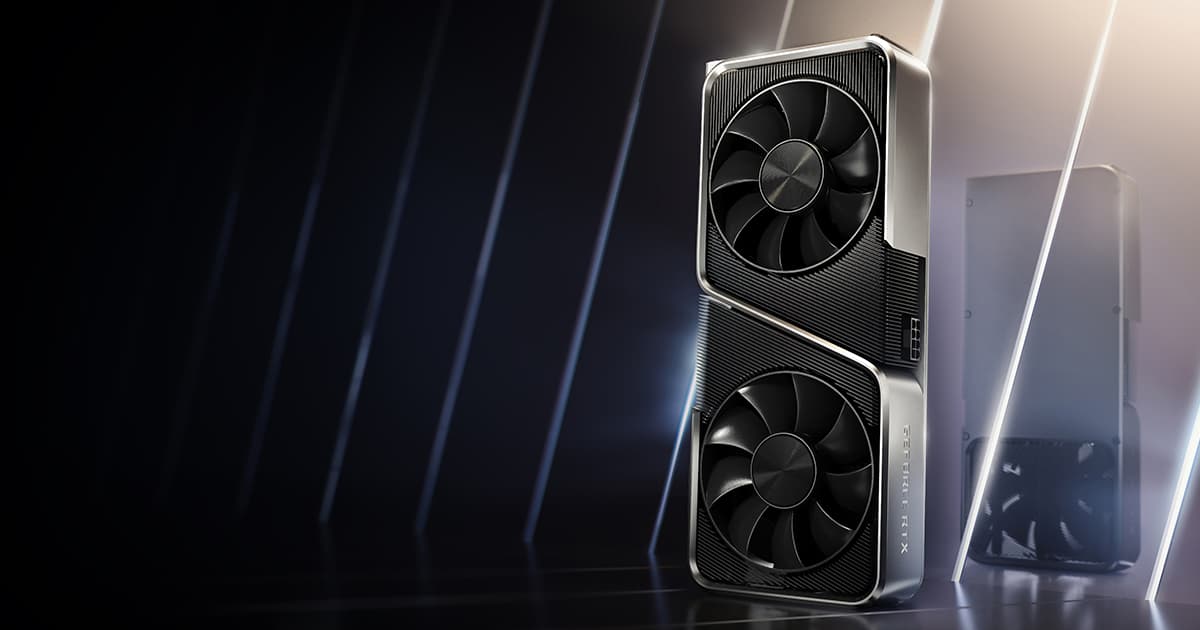
Want the RTX 3070 at the best price?
Check the current price on Amazon.
Counter-Strike 2 system requirements
Official minimum and recommended requirements published by the developer.
Minimum
Recommended
 Game keys on sale
Upcoming games, cheaper with an official key.

Assassin's Creed Black Flag Resynced
View on Eneba →

Halo: Campaign Evolved
View on Eneba →

Beast of Reincarnation
View on Eneba →

The Sinking City 2
View on Eneba →

Resonance: A Plague Tale Legacy
View on Eneba →

Star Wars Zero Company
View on Eneba →

The Blood of Dawnwalker
View on Eneba →

Halloween: The Game
View on Eneba →

Warhammer 40,000: Dawn of War IV
View on Eneba →

Silent Hill: Townfall
View on Eneba →

Control Resonant
View on Eneba →

Ace Combat 8: Wings of Theve
View on Eneba →

Gears of War: E-Day
View on Eneba →
Affiliate link
RTX 3070 Specifications
Want the exact Counter-Strike 2 FPS with your RTX 3070?
These FPS assume a reference CPU. Add your real processor and RAM and we'll tailor the estimate to your rig.
- Estimate tailored to your rig
- Customize resolution, quality, and RAM
Counter-Strike 2 benchmark on RTX 3070: FPS by resolution and quality
Pick yours and we recalculate the whole table above with it.

Counter-Strike 2 FPS with a RTX 3070 and a Intel Core i5-13400
| Quality | 1080p (Full HD) | 1440p (2K) | 4K (Ultra HD) |
|---|---|---|---|
| Ultra | 68FPS min 55Good | 57FPS min 50Acceptable | 33FPS min 29Acceptable |
| High | 88FPS min 71Good | 75FPS min 65Good | 43FPS min 38Acceptable |
| Medium | 115FPS min 93Good | 98FPS min 85Good | 57FPS min 50Acceptable |
| Low | 149FPS min 121Excellent | 126FPS min 110Excellent | 73FPS min 65Good |
| Bottleneck (estimated) | CPU 10% | balanced | GPU 47% |
The percentage estimates how much of the stronger component's capability goes unused because of the other one.
This one does matter: from the Intel Core i5-13400 downwards the processor becomes the brake on the RTX 3070. There is 19% between the slowest and fastest CPU in the table. One caveat: this is at 1080p, where the CPU weighs most. At 1440p and 4K the graphics card takes over and the processor stops mattering.
DLSS performance: FPS with AI upscaling
Upscaling renders Counter-Strike 2 at a lower internal resolution and reconstructs the image, so you trade a little sharpness for extra frames. These are the estimated figures for the RTX 3070 with DLSS enabled, starting from its native Ultra FPS.
| Resolution | Native | DLSS Quality | DLSS Performance |
|---|---|---|---|
| 1080p | 68 | 85 | 99 |
| 1440p | 57 | 77 | 94 |
| 4K | 33 | 48 | 61 |
About ray tracing: every figure on this page is with ray tracing off. The RTX 3070 does have dedicated hardware for it, so you can turn it on in games that implement it. The FPS cost swings widely depending on how much ray tracing each title uses, and DLSS is exactly what people lean on to pay for it.
Estimated figures. The real gain varies by game and by the version of the technology.
Is the CPU or the graphics card holding you back?
These FPS assume a mid-range CPU that isn't a bottleneck — roughly a Intel Core i5-13400 — and 16 GB of RAM.
With that CPU, the RTX 3070 has headroom to spare in Counter-Strike 2: the processor runs out before the graphics card does. A faster processor would gain you FPS; a stronger graphics card would barely help. At 4K it flips: there the graphics card becomes the limit.

Is the RTX 3070 Enough for Counter-Strike 2?
The RTX 3070 delivers 68 FPS at 1080p Ultra in Counter-Strike 2. Enough for a smooth 60 FPS experience. For 144Hz, lower the quality to High.
At 1440p it gets 57 FPS and at 4K 33 FPS at Ultra quality.
Want more FPS in Counter-Strike 2?
Our guide collects the settings that give between +40% and +90% FPS in Counter-Strike 2 with barely any visual loss. Recommended settings, GPU-specific tips (NVIDIA/AMD/Intel) and solutions to common game issues.